Just a quick post on how easy it is to implement a popover with twitter bootsrap:
JavaScript:
//Create tooltips for login/signup forms
function create_tooltips(){

    //Create vars
    var titles = ['test title']
    var contents = ['test content'];
    var fields = ['#user_email'];

    //Loop through each field and assign tooltip
    for(var i = 0; i < fields.length; i++){

        //Create vars
        var field = $(fields[i]);
        var title = titles[i];
        var content = contents[i];

        //Ensure field found
        if(field){

            //Create popover
            $(field).popover(
                {
                    animation: true,
                    placement: 'right',
                    selector: false,
                    trigger: 'hover',
                    title: title,
                    content: content,
                    delay: 0
                });
        }
    }
}
Form:
resource_name, :url => registration_path(resource_name), :class => 'form-vertical') do |f| %>'btn btn-success' %>
Result:
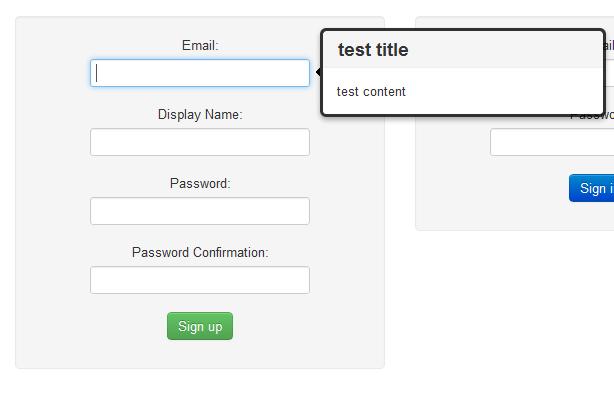
That’s all there is to it, if you haven’t had a chance to check it out yet make sure you head on over to the official site – there are some pretty neat features.
 What I Broke - Programming and Web Development
One thought on “Popover Function – Twitter Bootstrap”