Random Class Directive - AngularJS
Hey everyone,
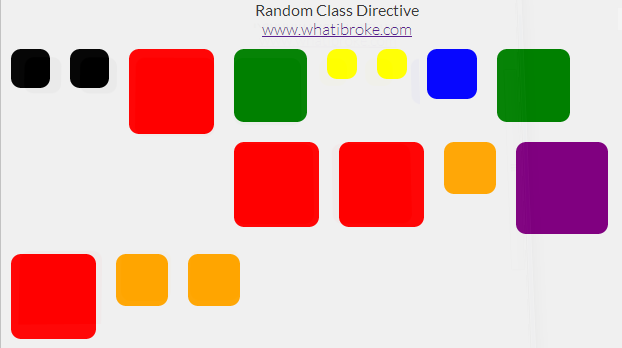
Just another small directive. This one adds a random class from the provided array to the element.
Check out this fiddle to see the demo: http://jsfiddle.net/uvSVj/3/
Random Background Directive
I used this directive to add a random background to each of my wrapper divs:
Image unavailable in the original archive: Random Background Real World Usage (original file unavailable)
To use it in your app simply define a list of classes in your controller:
app.controller("MyCtrl", function MyCtrl($scope) {

    /* A random class is picked from this list */
    $scope.classes = [
        //"bg-buildings",
        "red",
        "blue",
        "yellow",
        "green",
        "orange",
        "black",
        "purple"
    ];
});
Then add the directive to your page (can be an existing element):
<div class="test"></div>A random class will then be selected from the list and appended to the elements current list of classes (if any).
The easiest way to see how it’s done is probably just to check out the fiddle above, but there’s a code dump below if you need it:
The Random Class Directive
app.directive("ngRandomClass", function () {
    return {
        restrict: 'EA',
        replace: false,
        scope: {
            ngClasses: "="
        },
        link: function (scope, elem, attr) {

            //Add random background class to selected element
            elem.addClass(scope.ngClasses[Math.floor(Math.random() * (scope.ngClasses.length))]);
        }
    }
});
Sample Html
<div>
    <!--Shameless link back to blog -->
    <h1>Random Class Directive</h1>
    <a href='http://www.whatibroke.com/?p=899'>www.whatibroke.com</a>

    <!-- Identical divs with random class directive added -->
    <div>
        <div class="test">
        </div>
        <div class="test">
        </div>
        <div class="test">
        </div>
        <div class="test">
        </div>
        <div class="test">
        </div>
        <div class="test">
        </div>
        <div class="test">
        </div>
        <div class="test">
        </div>
        <div class="test">
        </div>
        <div class="test">
        </div>
        <div class="test">
        </div>
        <div class="test">
        </div>
        <div class="test">
        </div>
        <div class="test">
        </div>
        <div class="test">
        </div>
    </div>
</div>
Sample JS
/*
    http://www.whatibroke.com/?p=899
    Adds a random class to element
    Usage: add ng-random-class to element
*/

var app = angular.module('myApp', []);

app.controller("MyCtrl", function MyCtrl($scope) {

    /* A random class is picked from this list */
    $scope.classes = [
        //"bg-buildings",
        "red",
        "blue",
        "yellow",
        "green",
        "orange",
        "black",
        "purple"
    ];
});
Sample Styles
/* Just a demo div */
.test{
    width: 50px;
    height: 50px;
    margin: 10px;
    padding: 5px;
    float: left;
    -webkit-transition: 400ms linear all;
	-moz-transition: 400ms linear all;
	-ms-transition: 400ms linear all;
	-o-transition: 400ms linear all;
	transition: 400ms linear all;
    cursor: pointer;
    border-radius: 10px;
}

.test:hover{
    opacity: 0.8;
}

body{
	background-color: #F0F0F0;
	font-family: "Lato", sans-serif;
	font-weight: 300;
	color: #363636;
    text-align: center;
    vertical-align: middle;
}

/* Random classes */
.red {
    background-color: red !important;
    height: 75px;
    width: 75px;
}

.blue {
    background-color: blue !important;
    height: 40px;
    width: 40px;
}

.yellow {
    background-color: yellow !important;
    height: 20px;
    width: 20px;
}

.green {
    background-color: green !important;
    height: 63px;
    width: 63px;
}
.purple {
    background-color: purple !important;
    height: 82px;
    width: 82px;
}
.black {
    background-color: black !important;
    height: 29px;
    width: 29px;
}
.orange {
    background-color: orange !important;
    width: 42px;
    height: 42px;
}
Let me know if you run into any issues and feel free to use/change however you want.
Clever! I'm going to find an excuse to use this some day. Custom directives are such an awesome feature of angular.
thanks , its really helpful . keep it up .